Icon of program: Kodu

Kodu for Windows

  • Free
  • 4
    3067
  • 204.5K
  • V1.6.12.0
Free Download for Windows

View an ad to download for free

Swati Mishra

Updated 3 years ago

Game programming environment for kids

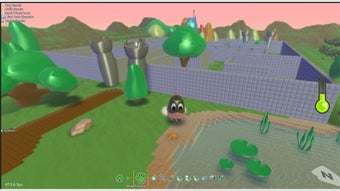
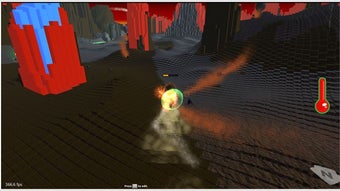
Brought by Microsoft, Kodu is a game utility that is designed especially for kids to effectively learn basic programming principles. This 3D game development platform enables the young creators to build the world's terrain filled with characters and props which you will then program its behaviors and games rules using a visual programming language.

Top Recommended Alternative

Users can freely download it on the Microsoft Store but, if you own an older version of Windows, you can download the desktop build that it provides on its developer's page. Bear in mind though that it requires Microsoft .NET Framework for this to successfully work.

What is the Kodu app?

Kodu is a Microsoft experiment that's still in development. This means that you should expect a few bugs and the odd crash, but other than that it's perfectly usable. Actually, what you'll find here is going to be radically different from any other coding editor. It's a kid-oriented programming environment that allows any users to build their own games, without writing a single line of code.

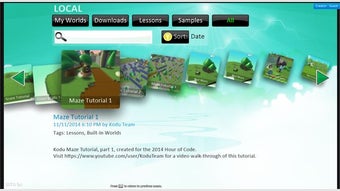
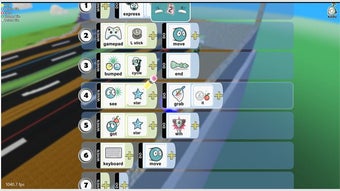
Moreover, it features an eye-catching design that makes it feel like a game by itself. It includes lessons and sample games to get you started and make things even easier. You'll find a handful of ready-made objects, characters, and obstacles, which you can arrange with a keyboard and mouse as well as program it with a special card system.

How does Kodu work?

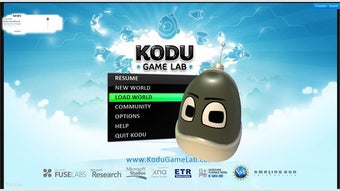
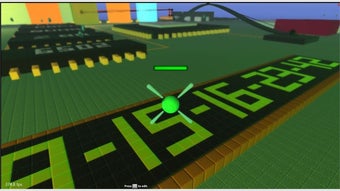
Once you’ve launched the Kodu Game Lab, you’ll be greeted by an elegantly designed user interface with few options displayed. To start creating a game, just click the ‘New World’ button which will lead you to an interface that presents a single block of green terrain. The game development tools are displayed at the bottom of the screen while placed on the top-left corner are the controls.

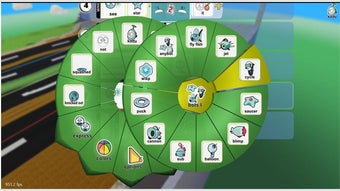
If you wish to add characters and objects in your world, just hover your mouse and click on the ‘Object Tool’ button that's illustrated in a small robot head. Then, click on any empty part of the green terrain, it will prompt a pie menu. It'll then allow you to add objects like rock, apple, pipe, tree, underwater creatures as well as characters that users will be able to control. 

Great to begin with

Kodu is an intuitive children-oriented game tool with which users can easily create their own videogames without any coding skills required. There are some obvious limitations to Kodu, as it's intended for kids with little or no experience in coding. Nevertheless, it's a fun and colorful way to get them started in the hobby of making video games.

Swati Mishra

Swati has over a decade of experience in content strategy, SEO, and editorial writing across technology and travel. She specializes in technical reviews, structured guidelines, and long-form pieces. Her work focuses on clear organization, search intent, and practical takeaways for readers evaluating software and digital tools.


  • Pros

    • Original visual programming environment
    • Powerful yet easy to use editor
    • Includes lessons and sample games
    • Can also be run on an Xbox360
  • Cons

    • Limited selection of objects
    • Still in development stage
 0/10

App specs

  • Developer

  • License

    Free

  • Version

    1.6.12.0
  • Latest update

  • Platform

    Windows

  • OS

    Windows 10

  • Language

    English

  • Downloads

    204.5K

    Last month's downloads

    • 199

Program available in other languages


Icon of program: Kodu

Kodu for PC

  • Free
  • 4
    3067
  • 204.5K
  • V1.6.12.0
Free Download for PC

View an ad to download for free


User reviews about Kodu

4

7 reviews

Add review

Main reviews for you

  • Anonymous user

    It is really good because it makes u want to smile and you can play it all day long

  • Anonymous user

    It is great because you can put characters and program it! It is GRREATT!

  • Anonymous user

    Its really good! it inspires kids to be video game creators!!!

  • Anonymous user

    Kodu is very interesting . Kodu is a good and rewarding entertainment software.It is very interesting! I like it!

  • Anonymous user

    So creative. this game is famous in my school everyone in my school it is so good

  • Anonymous user

    This is fun. the koudu is very creativ and fun to do . it is like a mincraft you are coppying the idea

More

You may also like

Alternatives to Kodu

Explore Apps

Latest articles

Laws concerning the use of this software vary from country to country. We do not encourage or condone the use of this program if it is in violation of these laws.
Softonic

Is Kodu safe?

100/100

Score result: Clean

This file passed a comprehensive security scan using VirusTotal technology. It is safe to download.

  • Virus free
  • Spyware free
  • Malware free
  • Verified by Security Partners

    VirusTotal logo

Scan Info

Last scan
Tuesday, February 14, 2023
Scan provider
VirusTotal

Softonic security commitment

Kodu has been thoroughly scanned by our advanced security systems and verified by industry-leading partners. This file comes from the official developer and has passed all our security checks, showing no signs of viruses, malware, or spyware. For more information, visit our Security and Trust Center

Signed in to Softonic as